
Agent evaluations
Agent evaluations test and measure AI agent quality before and after deployment. You get data on whether your agents deliver accurate, complete, and concise responses.
Evaluations test agents against predefined questions with known correct answers. Experiments are run in Langfuse, the platform's built-in LLM observability tool. Swiss AI Hub auto-provisions everything Langfuse needs — your agents, an agent-calling connection, evaluator models, and a prompt template — so you can focus on three steps:
- Create a dataset of questions and reference answers.
- Create evaluators that score agent responses.
- Run experiments against your agent and review the results.
TIP
This page describes the Swiss AI Hub workflow only. For Langfuse-specific details (dataset upload formats, evaluator configuration, experiment comparison), see the Langfuse documentation.
1. Create a dataset
Datasets are collections of test questions with reference answers. Cover representative questions your agent will receive, include clear reference answers and edge cases. Start with at least 10 question-answer pairs; 20-50 work better.
You can create a dataset in two ways:
- In the Swiss AI Hub Admin UI — open
Datasets, provide a name and description, add your question-answer pairs, then save. - In Langfuse — create the dataset directly, for example by uploading a CSV file with one row per question-answer pair.
Either way the dataset is stored in Langfuse and immediately available for experiments.
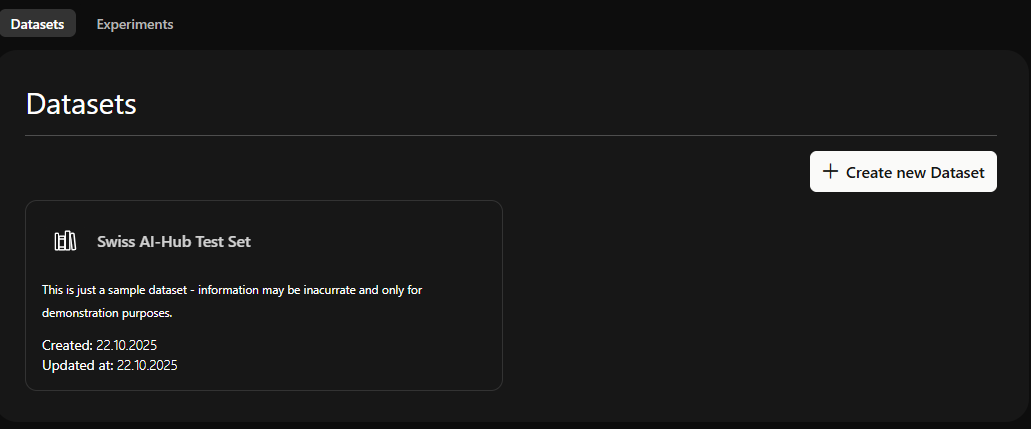 Dataset overview in the Admin UI
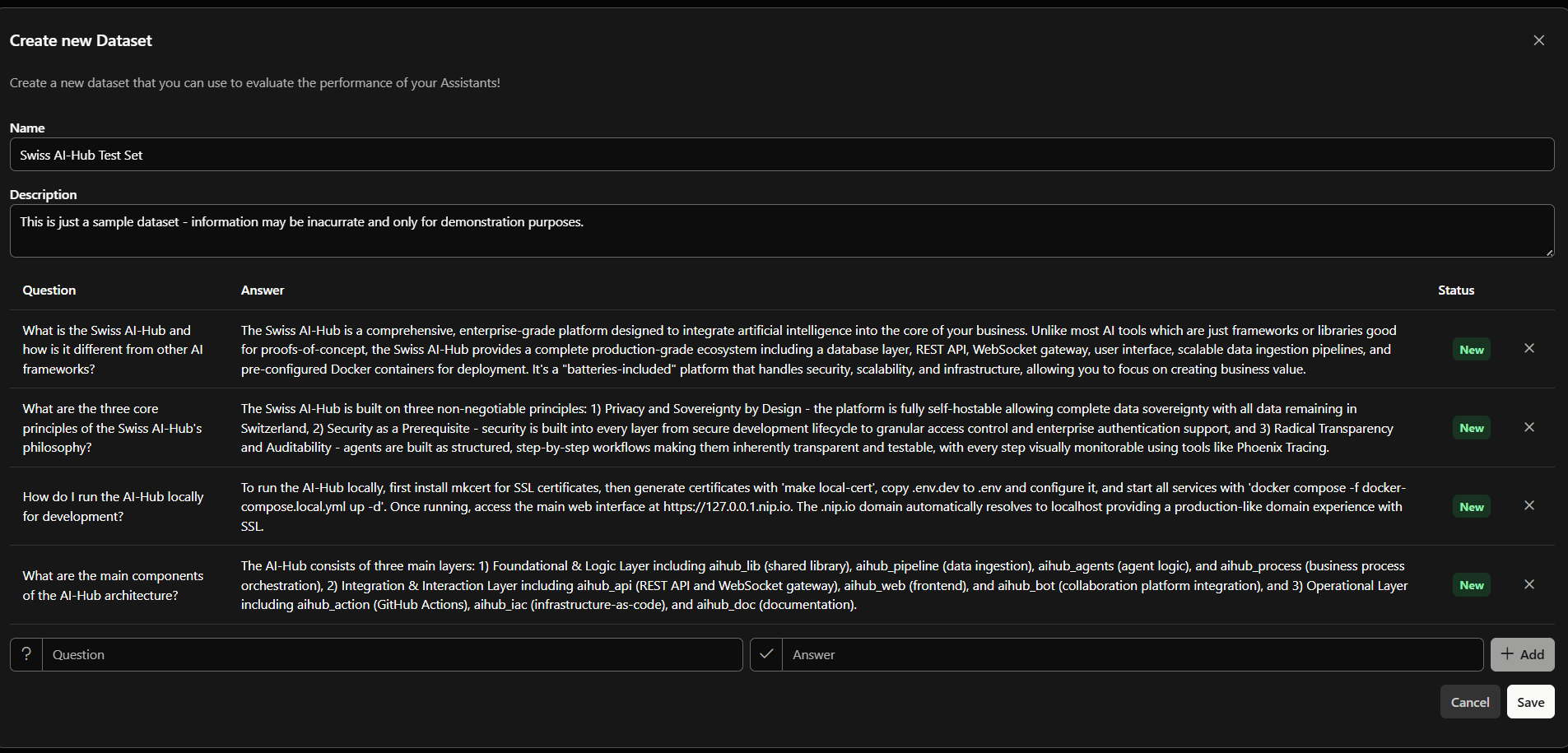 Adding test questions with reference answers
Datasets created in the Admin UI are append-only
When editing in the Admin UI you can add new question-answer pairs at any time, but you cannot remove or edit items once saved. To change a question, add a corrected item or edit the dataset in Langfuse.
2. Create evaluators
Evaluators score each agent response, typically using LLM-as-a-judge. Configure them in Langfuse. Swiss AI Hub provisions a dedicated evaluator LLM connection (AI-Hub LLM (Evaluators)), so judge models are available out of the box.
Recommended dimensions to score:
| Metric | What it measures |
|---|---|
| Correctness | Factual accuracy compared to the reference answer. Free of misinformation, hallucinations, or contradictions. |
| Completeness | Addresses all parts of the query, including multi-part questions and implicit needs. |
| Conciseness | Efficient and direct. Avoids irrelevant tangents, redundancy, or excessive filler. |
3. Run experiments
Open a dataset card in the Admin UI and click Run Experiments to jump to the dataset in Langfuse, then create an experiment there:
- Select the agent to test. Online agents appear automatically as selectable models, named
<agent_class>/<agent_id>— Swiss AI Hub continuously syncs running agents to Langfuse, so no manual registration is needed. - Use the
ai-hub-agentprompt template. This auto-provisioned template maps each dataset question to a request against the agent's OpenAI-compatible endpoint, so Langfuse calls your real agent through the platform. - Attach the evaluators from step 2 and run the experiment.
Run experiments before deploying a new agent, after significant changes to its configuration or knowledge base, and regularly for quality monitoring. Every run is stored in Langfuse, so you can compare runs side-by-side to confirm a change improved quality.
When interpreting results: low correctness usually points to knowledge base gaps or retrieval issues, low completeness to missed parts of multi-part questions, and low conciseness to overly verbose responses. Adjust the agent's knowledge base, system prompts, or retrieval settings accordingly, then re-run to verify improvements.
What's not implemented
The following features are not currently implemented:
Bias monitoring and model drift detection: No automated bias detection, fairness metrics, or drift detection. Langfuse experiments and OpenTelemetry tracing provide foundational capabilities that could be extended.
Production A/B testing: No integrated traffic splitting or parallel testing of agent variants in production. Pre-deployment comparison via Langfuse experiments is supported.