
Coding / Software Development
OpenWebUI integrates with Open Terminal — a sandboxed Linux environment with Python 3.12, common document libraries (pandas, openpyxl, xlsxwriter, python-docx, python-pptx, reportlab, fpdf2, weasyprint, pypdf, matplotlib, Pillow, numpy, scipy, lxml, PyYAML) and the ffmpeg and pandoc command-line tools. Code runs in an isolated per-user environment, in that user's own home directory inside the sandbox.
Requirements & current limitations
- Plain LLM models only, with Native Function Calling enabled. OpenWebUI exposes the sandbox to the model as a set of tools (
run_command,write_file,display_fileand so on) resolved from its terminal-server integration — not through the built-inexecute_codetool. The model must use Native Function Calling: only then are those tools handed to the model as real function definitions, which is what lets it run a step, read the result and continue. Under Legacy, OpenWebUI falls back to a single prompt-based tool-selection pass, which is not enough for a multi-step build. Kimi-K2.6 is set to Native by default; every other model defaults to Legacy. To use another model, switch Function Calling to Native for that conversation in the chat's Controls → Advanced Params. A change in Admin → Settings → Models does not last: AI-Hub resets it the next time the API starts, and an operator changes a model's default in the LiteLLM configuration instead. Models without function-calling support cannot drive the sandbox at all. - The terminal has to be active for the conversation. The tools are resolved only when a terminal is selected in the chat.
- Among AI-Hub agents, only the Universal Agent runs code. With Code Interpreter switched on it works in the same sandbox home as your plain-model chats, in a folder per conversation, and attaches the files it shows you to its answer. Other agents do not run code.
There are two main ways to use code execution.
- Ask the model to write and run code. Mentioning a specific goal (e.g. "create a chart", "process this data") gives the model the context to generate and execute Python code that produces the result directly in the chat.
- Provide existing code and ask the model to run or improve it.
Coding with the LLM
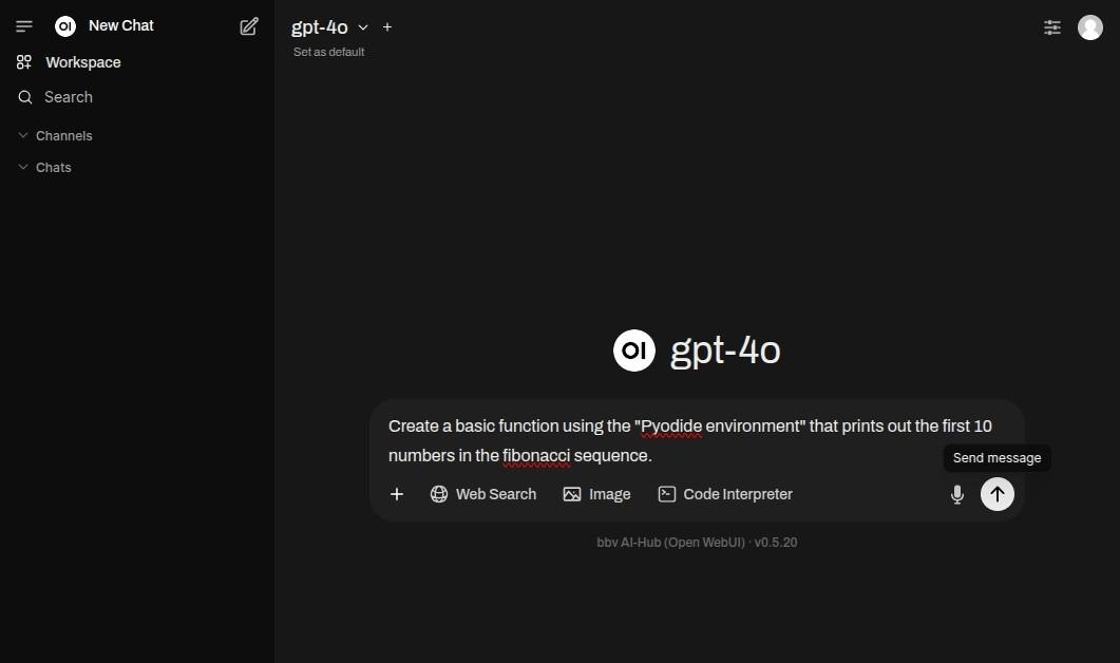
Enter a prompt mentioning the "Pydiode environment" in order to generate code.
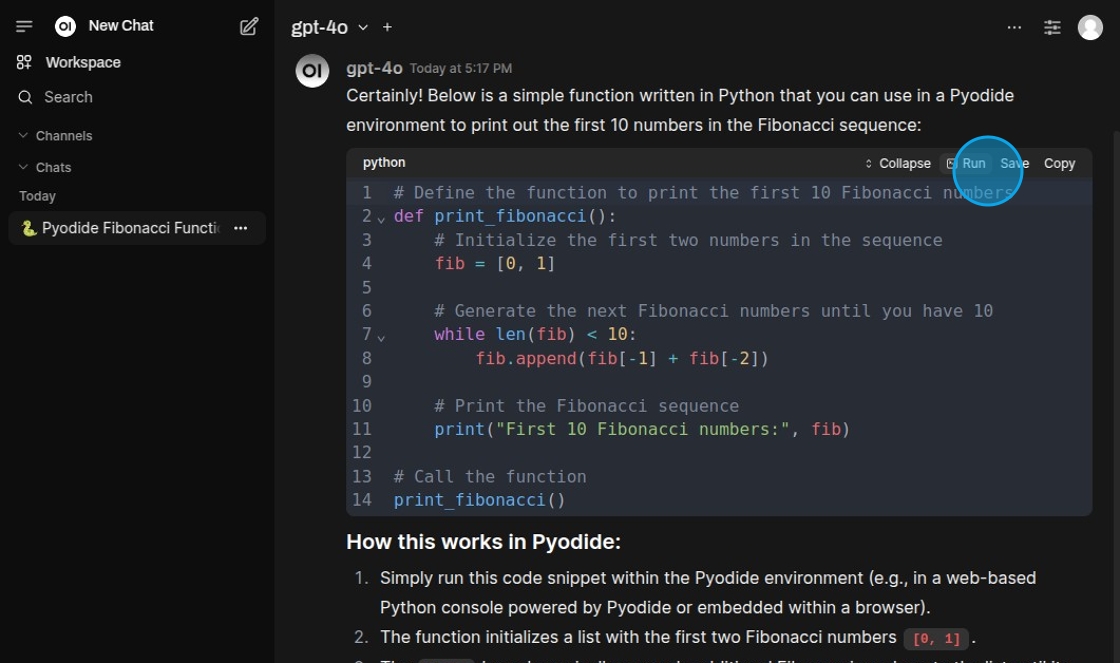
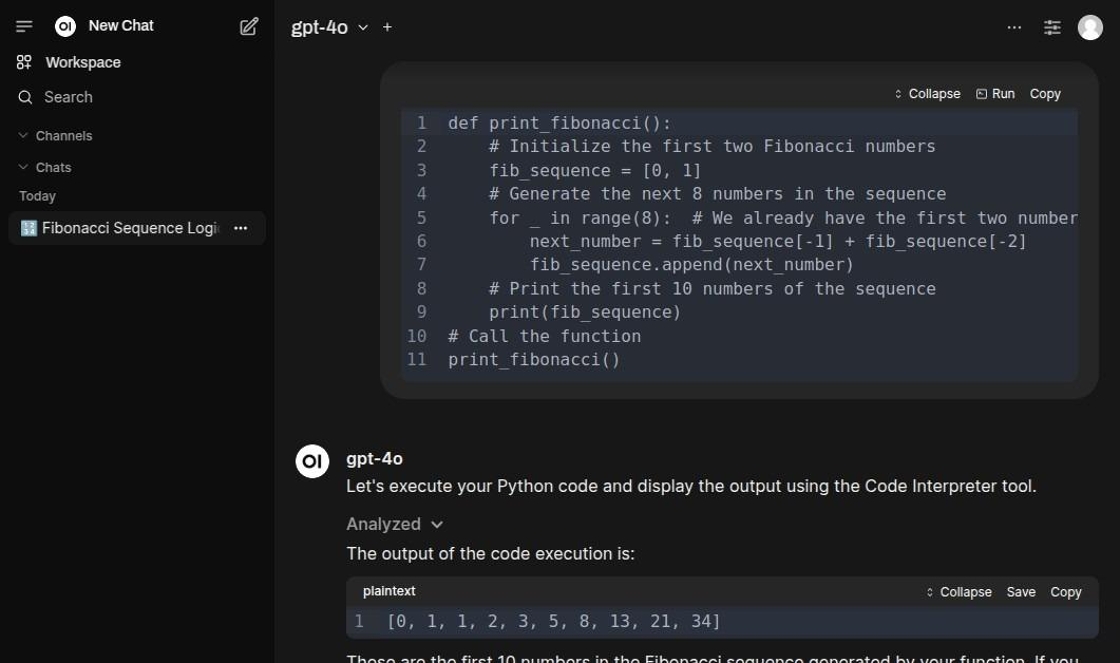
Using the "Run" button the code can be tested directly inside the chat.
Two execution paths — only one of them can produce a file
Model-driven execution, where the model calls the sandbox's tools itself, runs server-side in Open Terminal with the libraries above, inside the user's own home directory. This is the only path that can produce a downloadable file.
The manual "Run" button on a code block — and OpenWebUI's built-in execute_code tool, whose CODE_INTERPRETER_ENGINE defaults to pyodide — both use the Pyodide engine instead: in-browser WebAssembly, which is lightweight, limited to its bundled packages, and cannot write files to the server. Charts come back as inline images on that path, not as files.
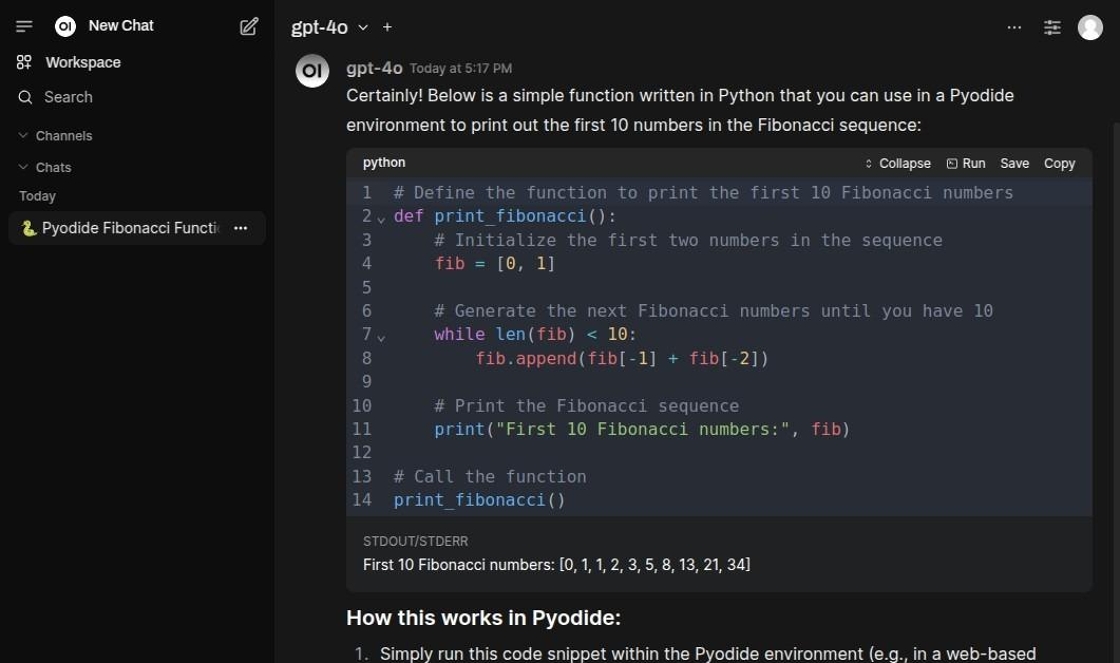
After running the code snippet prints the result below the cell.
Executing existing code
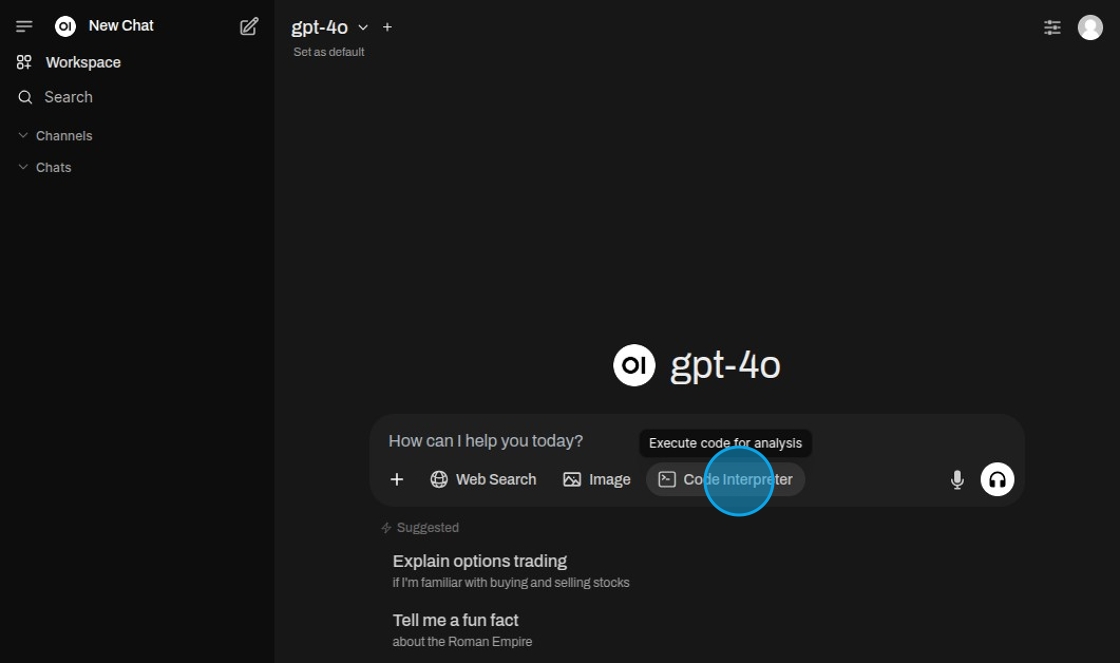
Select "Code Interpreter".
Encase the code in back-ticks to mark it as code for execution.
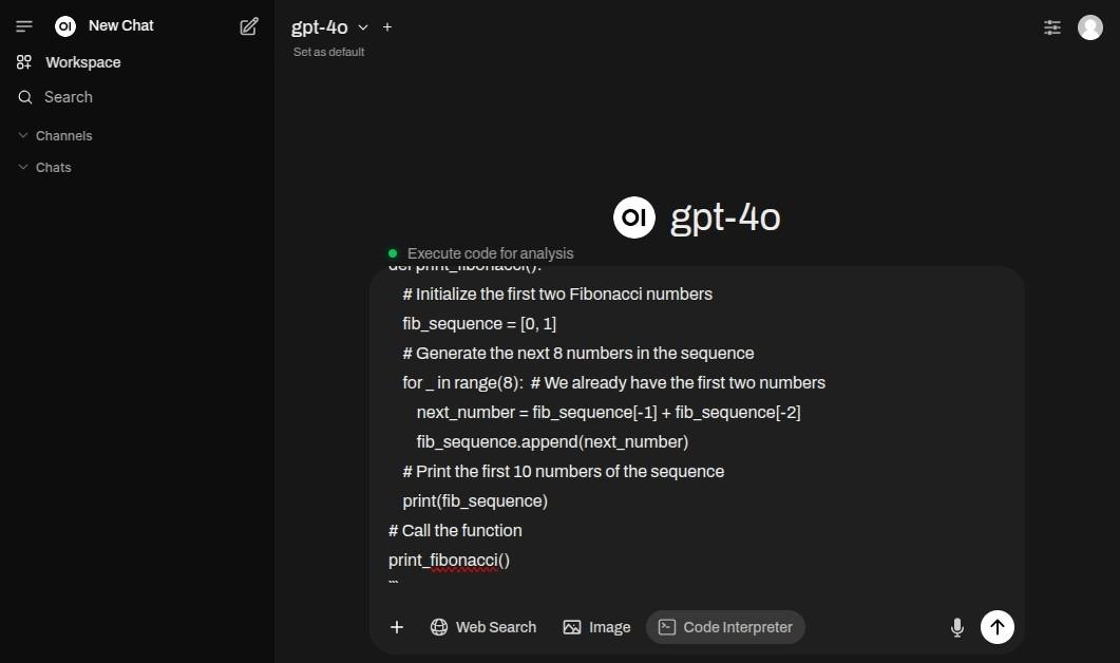
When the code has run through the result is printed out.
Generated files
Files written during code execution (reports, spreadsheets, charts, etc.) are created in the user's own home directory inside the sandbox (/home/<user>). The model surfaces a finished file by calling display_file, which opens it in the user's file viewer; the files also stay reachable through the terminal panel's own file browser.
Producing documents is a capability in its own right and does not require writing any code. See File generation for the recommended model, the verified list of output formats, and the limitations that apply to them.
Isolation and limitations
Shared-container, per-user isolation
Open Terminal runs in a single shared container with OPEN_TERMINAL_MULTI_USER enabled: each user gets a separate Linux account and home directory (/home/<user>), and standard filesystem permissions keep one user's files private from another. This is per-user isolation inside one container, not a container-per-user model — all users share the same kernel, CPU, memory, /tmp, and process list. It suits small, trusted groups; it is not a hard multi-tenant security boundary. Treat the sandbox as a convenience for collaborators, not as a barrier between mutually untrusted parties.
Stored files grow over time
Each user's generated files persist on the host (the open-terminal /home volume) and are not cleaned up automatically — there is currently no retention or quota policy. Disk usage grows with use; operators should monitor the volume and prune old per-user data manually until an automated cleanup/TTL is added.