
Knowledge management
AI agents need access to relevant information to answer questions accurately. The knowledge management system processes your documents and makes them searchable through semantic retrieval.
Structure
Knowledge organizes into three levels:
Knowledge databases are isolated containers at the top level. Each database has its own data, permissions, and processing pipeline. Organizations typically create databases per department, project, or security classification.
Namespaces (called "collections" in the UI) group related documents within a database. They function like folders organized by topic or purpose. A product database might contain "technical," "guides," and "troubleshooting" collections.
Documents are the actual files - PDFs, Word documents, PowerPoint presentations. The system processes them automatically after upload.
Multilingual support
Database names, namespace labels, and folder descriptions support German, English, French, and Italian. The interface displays labels according to user language preference.
Creating a knowledge database
You create knowledge databases yourself from the admin UI — no deployment, configuration change, or restart is involved, and a new database starts accepting documents immediately.
When you create one you choose:
- The ingestion pipeline that will process its documents. Most deployments offer one, the Generic Document Ingestion Pipeline; a deployment that ships its own pipeline offers that here too.
- A text-generation model, used for the enrichment steps — summaries, table refinement, figure descriptions.
- An embedding model, which turns text into the vectors agents search.
Leave the models unset to use the deployment's defaults. Because a database's vectors are only comparable to other vectors produced by the same embedding model, the models are fixed once the database exists — to change them, create a new database and re-upload.
Whoever creates a database is granted administrative access to it automatically, so you can use what you just made without asking an administrator for a second step.
Managing content
Manual management
By default, databases allow manual control:
- Create collections through the web interface
- Upload documents to specific collections
- Watch them process
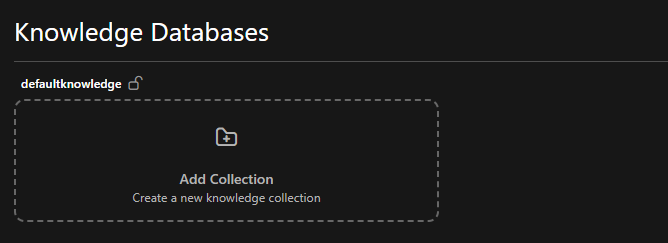
You control what gets uploaded and where it lives. Uploading a document notifies the pipeline directly, so processing normally begins within a minute or two rather than waiting for a scheduled run. A daily run still sweeps every database as a safety net, catching anything a missed notification would otherwise have left behind.
Syncing from an external source
Instead of uploading, a database can be given a Source when it is created, or later through Edit source on the database. Two kinds of source are offered: Cloud storage sync (rclone) keeps files in sync, and Business application sync keeps records such as Jira issues and Confluence pages in sync, each record as one document. Credentials are stored encrypted and shown masked afterwards; re-saving the dialog without retyping them keeps the stored ones, so a rotation is a matter of editing the source. Either way, the system then:
- Syncs from the source on a daily schedule; until the first sync has filled it, the database shows Nothing synced yet
- Creates the collections itself, as described below
- Processes each synced document within a minute or two, like an upload
- Disables manual uploads, hand-made collections and manual document deletion for that database
Files from cloud storage
Pick the storage system (OneDrive / SharePoint, Google Drive or S3 — the backends verified end to end), enter its credentials, the folder to sync and optional include/exclude patterns. For SharePoint the credentials belong to an Entra ID application with read access to the site, and the drive is the document library's; the step-by-step guide is Syncing a SharePoint library. For Google Drive the service-account key is uploaded as the .json file downloaded from Google Cloud, and the dialog shows the client_email to share the Drive folder with. Each top-level folder of the synced root becomes a collection; files directly in the root are skipped and counted in the run.
If two top-level folders would end up as the same collection name (hr docs and hr_docs), the first one keeps the name and the second is skipped: its files reach the data lake but are never ingested, and the ingestion run names the skipped files and the reason in its metadata and logs. Other folders and the database's other files are unaffected; renaming the folder at the source fixes it.
Jira issues
Pick Jira as the source system and enter:
- Jira URL: the address you open Jira at, such as
https://acme.atlassian.netfor Jira Cloud orhttps://jira.acme.ch/jirafor a Jira Data Center served under a path. It must be a public address, without?or#: internal names such as Docker services,localhostand private network addresses are refused when the sync starts, and a redirect is not followed. An operator can allow a Jira reachable only on the company network withSTRUCTURED_PIPELINE_ALLOWED_PRIVATE_HOSTS. - Jira edition: Jira Cloud signs in with the account's e-mail and an API token without scopes; Jira Data Center with a personal access token (profile → Personal Access Tokens). Jira Data Center 11.3 is supported, as the option says.
- Projects: the keys of the projects to sync, such as
ABC - Additional JQL filter (optional): a clause every synced issue must also match, such as
issuetype != "Service Request"
Each project becomes a collection and each issue one document. The document is titled with the issue key and summary, links back to the issue, and carries its type, status, priority, labels, components, fix versions, reporter and assignee, its description and its comments with author and date. Headings, lists, tables and code keep their formatting; images and attachments are not synced. Comments restricted to a project role or group, and internal comments of Jira Service Management, are left out.
The issue's fields reach the document as frontmatter: a citation shows the key and summary and opens the issue in Jira, and the fields key, project, issue_type, status, priority, labels, components, fix_versions, reporter, assignee and updated are metadata a retriever can filter on once they are among its allowed filter fields. Agents see these fields with every issue they retrieve, so they can say which status, priority or assignee an issue has.
Use a dedicated account
The database holds every issue and comment the token's account can read, and everyone with access to the database can find them, whatever their own permissions in Jira. Sync with a dedicated read-only account that sees only what the database's readers may see.
The first sync reads every issue in scope. Later syncs read only the issues changed since the previous one, and compare the list of issue keys in scope, so issues deleted in Jira, moved to another project or no longer matching the filter are removed. Changing the projects or the filter reads everything again. On Jira Cloud, deleting a comment updates its issue, so the next sync removes the comment as well.
A sync whose token Jira rejects, whose project does not exist or is not visible to the account, or whose filter is not valid JQL fails before it changes anything. The reason is shown on the failed run in the Dagster UI, and in the failure notification when notifications are configured.
Confluence pages
Pick Confluence as the source system and enter:
- Confluence URL: the address you open Confluence at, such as
https://acme.atlassian.net/wikifor Confluence Cloud (including/wiki) orhttps://confluence.acme.chfor Confluence Data Center. As for Jira, it must be a public address, without?or#, and a redirect is not followed. An operator can allow a Confluence reachable only on the company network withSTRUCTURED_PIPELINE_ALLOWED_PRIVATE_HOSTS. - Confluence edition: Confluence Cloud signs in with the account's e-mail and an API token without scopes; Confluence Data Center with a personal access token (profile → Settings → Personal Access Tokens)
- Spaces: the keys of the spaces to sync, such as
ENG - Labels (optional): only pages carrying at least one of these labels are synced
- Parent pages (optional): the IDs of pages whose subtrees are synced, each page included. A page's ID is the number in its address, such as
123456in…/pages/123456/Runbook
Each space becomes a collection and each page one document, filed under the titles of the pages above it, so the page tree becomes folders: Deploy below Runbooks below the space's home page Engineering is Engineering/Runbooks/Deploy in the ENG collection. The document is titled with the page title, links back to the page, and holds its text: headings, lists, tables and code blocks keep their formatting, and panels and expandable sections keep their content under their title. Images, attachments, blog posts and comments are not synced. A link to another Confluence page keeps its text, and macros that only show content kept elsewhere, such as a table of contents, child pages, Jira issues or an included page, are left out.
The page's fields reach the document as frontmatter: a citation shows the page title and opens the page in Confluence, and the fields space, labels, ancestors, author, page_id, page_version and updated are metadata a retriever can filter on once they are among its allowed filter fields, for example to search a single space or the pages with a given label. Agents see these fields with every page they retrieve.
Use a dedicated account
The database holds every page the token's account can read in the listed spaces, and everyone with access to the database can find them, whatever page restrictions apply in Confluence. Sync with a dedicated read-only account that sees only what the database's readers may see.
The first sync reads every page in scope. Later syncs list every page with its version, its place in the tree and its labels, and read the text only of pages that are new, edited, renamed, moved or relabelled. Renaming or moving a page moves the documents of the pages below it in the same sync. Pages deleted or archived in Confluence, moved out of the listed spaces or parent pages, or no longer carrying a listed label are removed. Changing the spaces, labels or parent pages reads everything again.
Two pages whose titles end up as the same file name keep one document between them, such as Q1/Q2 and Q1_Q2 below the same parent, or titles that only differ after their 120th character. The run's log names both pages; renaming one of them in Confluence brings the other back.
A sync fails before it changes anything when Confluence rejects the token, when a space or parent page does not exist or is not visible to the account, when a parent page lies outside the listed spaces, or when the Confluence URL points to an internal address, such as a Docker service, localhost or a private network address, that no operator has allowed. The reason is shown on the failed run in the Dagster UI, and in the failure notification when notifications are configured.
The external system becomes the source of truth. Your team continues working there, and the next sync brings changes, including deletions, into the Swiss AI Hub. Handing a database that already holds documents to a different source, whether it was filled by hand or by another source, asks for confirmation first, because the new source's first sync removes everything it does not have. Editing the current source's settings saves without asking. Clearing the source turns the database back into a manually managed one; its files stay until you delete them.
Deleting databases and collections
You can remove a whole knowledge database or an individual collection from the web interface. Both actions are permanent.
- Delete a collection removes that collection's documents from storage and the vector index; the database and its other collections stay.
- Delete a database removes the database entirely — every collection, all its documents, its vector collection, and its file storage.
To prevent accidents, the confirmation dialog shows how many documents will be removed and requires you to type the exact database or collection name before the delete button becomes active.
Deletion runs in the background. The moment you confirm, the item disappears from the list and stops accepting new uploads, while the platform frees the underlying storage shortly afterwards. If you later re-upload a document that was deleted, it is ingested again normally.
A database with a source can be deleted as a whole, which also stops its sync and forgets its credentials. Its individual documents and collections cannot be deleted by hand, because the next sync would bring them back; remove them at the source instead.
Document processing
The system processes each uploaded document through several stages:
Parsing: MinerU extracts text, tables, figures, and structure from PDFs and Office documents. It handles complex layouts, multi-column pages, and embedded content while preserving logical structure. A file is parsed once however often the platform needs it: results are cached by file content for seven days, so re-uploading identical bytes, or an agent reading a file the chat already parsed, does not run MinerU again.
Chunking: Large documents split into smaller pieces that maintain context. A 50-page manual becomes hundreds of chunks, each preserving its relationship to surrounding content.
Metadata extraction: The system captures creation dates, authors, source information, and detected language. Agents can filter results using this metadata.
Vector embedding: Text chunks convert to vector representations that capture semantic meaning. Agents find relevant content based on concepts, not just keyword matching. A query about "vehicle speed limits" matches content about "maximum velocity constraints."
Markdown files with frontmatter
A Markdown file (.md) may open with a YAML block between two --- lines, its frontmatter. It carries a record's fields next to its text, the way a page or issue exported from a wiki or tracker often looks:
---
title: "ABC-123: Login fails on Safari"
url: https://jira.example.com/browse/ABC-123
created: 2026-09-01T09:00:00+02:00
updated: 2026-09-30T14:05:00+02:00
project: ABC
status: Done
labels: [backend, urgent]
---
Users on Safari 17 cannot log in after the SSO change.
The block is removed before chunking: no chunk contains it, and only the text below it is embedded. Its fields become part of the document instead. Three keys set the document's own fields:
| Key | Becomes | Accepted values |
|---|---|---|
title | The document title, in the knowledge area and on citations | Non-empty text, up to 500 characters |
url | The link a citation opens | http:// or https:// links, up to 2,048 characters |
created | The document's creation date | ISO 8601 dates such as 2026-09-30 or 2026-09-30T14:05:00+02:00; a time without a zone is read as UTC |
updated is not one of them. A document's update date is when the platform last wrote it, on upload or when a sync changed it, so the record's own updated is stored like any other key.
Every other key is stored as metadata on the document and on each of its chunks, where a retriever can filter on it:
- Values are text, numbers,
true/false, dates, or lists of these.true/false, dates and list items are stored as text. - Names are lowercased, accents are dropped, and every run of other characters becomes
_:Fix Versionis stored asfix_version,Prioritätasprioritat. Use the stored name when you allow a field for filtering. - A key is skipped when its value is empty, a nested map or a nested list, or when its name is one the platform uses itself, such as
type,language,version,namespace,sourceordocument_title. Name such a field differently, for exampleissue_type. When two keys end up with the same name, the first one wins. - All of a file's metadata keys together are limited to 8 KiB; keys beyond that are skipped.
- These keys are not embedded: on a short record they would outweigh the text in the search. The title is embedded as before.
- Agents see these keys with every retrieved document, next to its title and source, so they can answer about a record's fields, such as an issue's status, and not only about its text.
Every skipped key is named, with the reason, in the ingestion run's logs. A block that is not valid YAML, or holds anything other than key: value pairs, does not stop ingestion: the file is ingested exactly as written, block included, and the run logs a warning. Dates written as plain numbers are refused, because seconds and milliseconds cannot be told apart. Markdown without frontmatter is processed exactly as before, and other file types are never read for it.
A document ingested before frontmatter was understood keeps the block in its chunks until the file changes or is uploaded again.
Filtering on frontmatter fields
A retriever filters only on keys listed in its Allowed Filter Fields. The values to filter by are supplied when an agent is started programmatically (RAGStartEvent.additional_filters), for example by a process; chat users do not set them. A text value matches documents that store it on its own or in a list, so filtering labels by backend finds both labels: backend and labels: [backend, urgent]. Numbers match by equality, and a true/false filter matches the text ingestion stores.
Inspection and debugging
The system provides visibility into document processing:
Document reconstruction shows how the parser interpreted your document. Check whether it correctly identified tables, sidebars, and other structural elements.
Chunk inspection displays how the system segmented content: the text of each chunk, as agents retrieve it. Useful when agents aren't finding expected content. A chunk's metadata, such as fields from a Markdown file's frontmatter, is not shown there; it lives in the vector database, where Milvus' admin UI (Attu) can display it.
Processing status indicates whether documents are uploading, processing, or ready. The document list refreshes itself every few seconds while a document on the page is still processing, so you do not need to reload to see it become ready. A document counts as ready only once its embeddings have been written to the vector database — until then it is still processing and agents cannot retrieve it, even though its text has already been parsed.
Access control
Knowledge permissions follow the same two-level hierarchy as agent classes and agent instances: the database is the parent, its collections (namespaces) are the children, and a rule on one level never implies its neighbours.
| Rule | Grants |
|---|---|
aihub.admin.knowledge | Create new knowledge databases and list the pipelines they can be assigned |
aihub.admin.knowledge.<db> | See the database, create collections inside it, delete the whole database |
aihub.admin.knowledge.<db>.<ns> | Upload, edit, and delete documents in that collection; rename or delete the collection |
aihub.user.knowledge.<db> | See that the database exists, its name and configured pipeline, but none of its collections |
aihub.user.knowledge.<db>.<ns> | Browse and search one collection |
aihub.user.knowledge.<db>.* or .> | Browse every collection of one database |
aihub.user.knowledge.> | Browse every database and every collection |
The seeded AIHubKnowledgeUser and AIHubKnowledgeAdmin roles bundle the last row and the first two rows respectively, and the role editor offers the same three rules as presets. Admin rules imply the matching user rule. Per resource, the role and tenant editors offer Manage on each database (<db> together with <db>.>) and Use and Manage on each collection (<db>.<ns>), so one collection can be handed to someone without the rest of its database. aihub.admin.knowledge.> covers every existing database and collection but not the bare aihub.admin.knowledge root, so a role that should create databases needs the root rule explicitly.
Creating a resource grants access to it automatically, mirroring agent instances: the creator receives a per-resource admin role (Knowledge<Db>Admin or Knowledge<Db><Ns>Admin) and the tenant ceiling is raised to include the new rules unless a broader rule already covers them. A database is granted as aihub.admin.knowledge.<db> plus aihub.admin.knowledge.<db>.>, so its admin role and its tenant also reach every collection in it — including the ones a sync or ingestion pipeline creates, which are granted to no one when they appear. Deleting a database or collection revokes those rules and roles again.
A new tenant's ceiling holds only aihub.admin.knowledge, never aihub.admin.knowledge.>. Databases are stored deployment-wide, so that wildcard would show a tenant every other tenant's knowledge; a tenant sees only the databases it created, plus any a sysadmin ticks for it in the tenant editor.
Agent integration
An agent's knowledge scope is always explicit: it either names the collections to search or opts into every collection of a database with the "Search all namespaces" switch. Leaving the selection empty is rejected when the configuration is saved rather than silently widened to the whole database. Agents configured before this rule existed, with an empty selection and no switch, fail validation until an administrator re-saves them with an explicit scope; the agent's error message names the retriever field to fix.
Saving an agent configuration also checks that scope against the saving user's rules: each named collection needs aihub.user.knowledge.<db>.<ns> (or a rule covering it), and opting into all collections needs a rule covering every one of them (...<db>.*, ...<db>.> or broader).
That check only covers whoever saved the agent. With Restrict to the user's access on, the knowledge agents (RAG, expert RAG and namespace selection) also check every run against the person asking. They search only the configured collections that person may browse under the rules above. A "Search all namespaces" retriever stays whole only for someone who may browse the whole database; anyone else gets the collections they may read. The knowledge area and the agents apply the same rules, so an agent never answers from a collection the person cannot open themselves. When nothing of the agent's knowledge is readable, the agent says so rather than answering as if the documents held no answer. The setting is on for new agents and off for agents saved before it existed, so their behaviour does not change unannounced. Runs without a person, such as scheduled or mail-triggered ones, keep the agent's configured scope.
Knowledge databases and My Files
Knowledge databases are shared, curated and indexed: documents are parsed, chunked and embedded so agents can search them semantically. My Files is different. It is each user's own file space (their chat attachments, files agents made for them and their uploads) and is not part of any knowledge database. Its files are not embedded or searched by retrieval; an agent with the My Files option on reads them by name. Put documents that a team should find through search into a knowledge database, and keep personal working files in My Files.
Referencing collections in a chat
In OpenWebUI, any chat agent can be pointed at a collection with #, the way OpenWebUI references its own knowledge. The # picker lists our collections as "Database / Collection", each only to users whose roles let them browse it. The entries hold no content and OpenWebUI runs no retrieval on them: a referenced collection reaches the agent as a reference, and the agent searches it with the database's own embedding model and adds the best matches to its context, cited like any other document. In a knowledge agent's chat this search comes on top of the agent's configured retrieval. The agent checks the reference against the asking user's rules again, and says when a referenced collection is not available to them instead of answering from it. OpenWebUI administrators see every entry in the picker, since OpenWebUI lets them bypass its access control, but they too get answers only from what they may read here.
Creating, renaming or deleting a collection shows up in the picker within seconds; collections a sync or pipeline creates appear on the next reconcile, at most a minute later.
Agents connect to specific collections rather than entire databases. When configuring an agent, you specify which collections it can search. A customer support agent might access "products" and "faq" but not "engineering."
Collection-scoped retrieval keeps agents focused on relevant content, improving both speed and accuracy.
Documents become available to agents after the pipeline processes them. The system tracks which source documents agents used, enabling citation and verification of responses.
Technical implementation
The architecture uses:
- FerretDB for document metadata and processing status
- Milvus for vector storage and semantic search
- MinerU for document parsing and structure extraction
- SeaweedFS for S3-compatible file storage
- LlamaIndex for chunking and embedding orchestration
Processing metadata lives in FerretDB, vector embeddings in Milvus, raw files in SeaweedFS. This separation optimizes each component for its specific task.
Limitations
No mixed modes: A database is either manually managed or synced from one source, not both. This prevents ambiguity about who owns its content.
No manual chunk editing: The system generates chunks automatically from source documents. To fix incorrect chunks, update the source document and reprocess.
No database merging: Databases remain isolated by design. Reorganization requires creating new structures and migrating documents.